Most advice about running an IPTV trial assumes you have fast city fibre. But along the Wild Atlantic Way – from Donegal down through Mayo, Galway, Clare and Kerry – plenty of homes rely on fixed wireless, 4G or 5G, satellite internet or fibre that has only just arrived. On those connections, how you run your trial matters even more.
A rushed IPTV trial on rural broadband can make a good service look bad, or hide problems that will show up every windy winter evening. This guide shows you how to run a fair trial on the connection you actually have, what picture quality to aim for and how to tell a broadband issue from a service issue.
Key takeaways
- Run your IPTV trial during the evening, when rural networks are under the most pressure.
- Match picture quality to your connection: HD on most wireless and mobile links, Full HD or 4K on solid fibre.
- Router position, a cable or 5GHz Wi-Fi and a modern device often make a bigger difference than the service itself.
- Check your data cap before a long trial on mobile or satellite broadband.
In this guide:
- Why an IPTV trial is different on rural broadband
- What to expect from each connection type
- Prepare before your trial starts
- The five tests to run, in order
- Weather, data caps and other rural realities
- Reading the result fairly
- FAQ
Why an IPTV Trial Is Different on Rural Broadband
IPTV sends live TV over your internet connection. In town, that connection is usually a fibre line with plenty of headroom. In rural areas, it is more often shared between many homes or carried by radio signal, so speed can rise and fall through the day.
That has three consequences for an IPTV trial:
- Daytime results can mislead you. A trial at 2pm on a weekday may look perfect, then struggle at 9pm when the whole area is online.
- Your setup matters more. A router tucked behind the TV or an old streaming stick can turn a borderline connection into a buffering one.
- Quality settings matter. Choosing a stream that suits your speed is the difference between smooth HD and stuttering 4K.
If you are new to IPTV altogether, start with our IPTV Ireland guide, then come back here to plan your trial.
What to Expect From Each Connection Type
| Connection | Typical evening reality | Quality to aim for in your trial | Key tip |
|---|---|---|---|
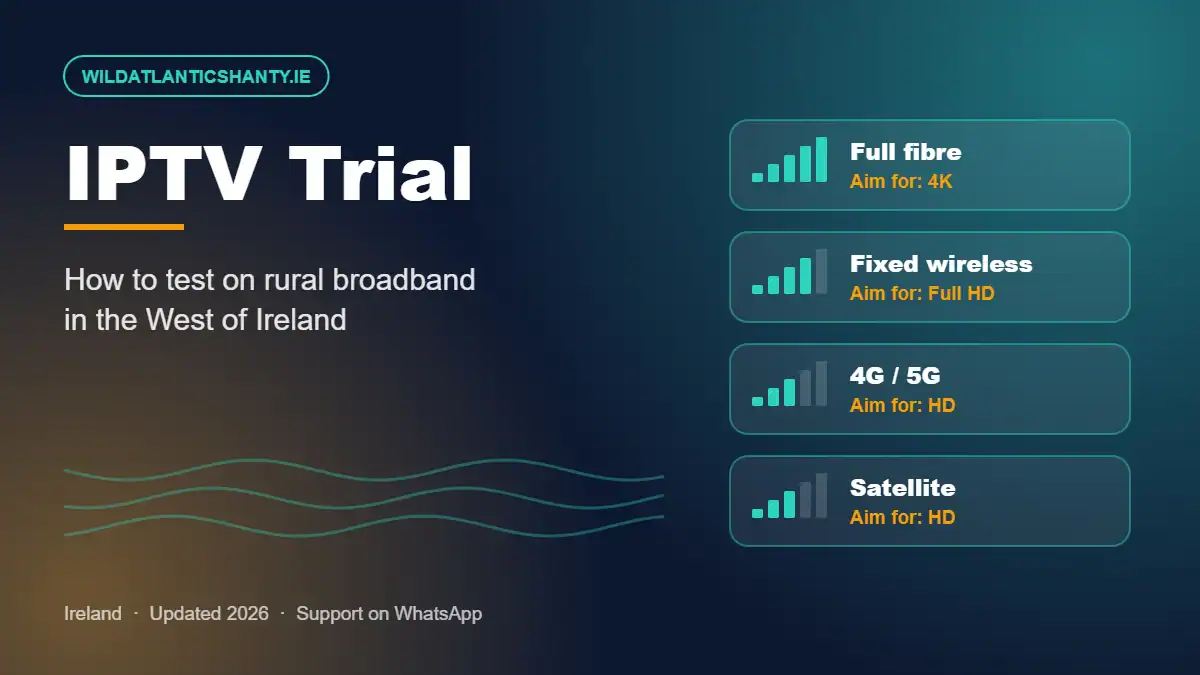
| Full fibre (including National Broadband Plan fibre) | Stable and fast | Full HD or 4K | Use a cable for the main TV to get the most from it |
| Fixed wireless | Good, but can dip at busy times or in bad weather | Full HD, or HD if speed drops | Check the outdoor antenna is secure and well aligned |
| 4G / 5G mobile broadband | Varies with signal and mast traffic | HD | Place the router near a window facing the mast |
| Satellite internet | Often good speeds, small delays | HD to Full HD | Make sure the dish has a clear view of the sky |
Fibre is reaching more rural homes every year through the National Broadband Plan. If it is coming to your area soon, you can still trial IPTV now in HD and step up the quality once fibre arrives.
Prepare Before Your IPTV Trial Starts
- Move the router into the open. Not in a cupboard, not behind the TV and not on the floor.
- Use a cable for the main TV if you can. If not, connect to the 5GHz Wi-Fi network for the room the router is in, or use a mesh system for distant rooms.
- Update and restart your streaming device, TV and router.
- Pick a modern device. A recent Firestick or Android TV box handles streams far better than an old one. Our Firestick setup guide and Android TV apps guide walk you through the best setup.
- Check your data allowance if you are on mobile or satellite broadband.
- Plan the timing so your trial covers a full weekday evening, ideally one with live sport.
The Five Tests to Run, in Order
Work through these during your IPTV trial. Doing them in order means you always know whether a problem comes from your connection or from the service.
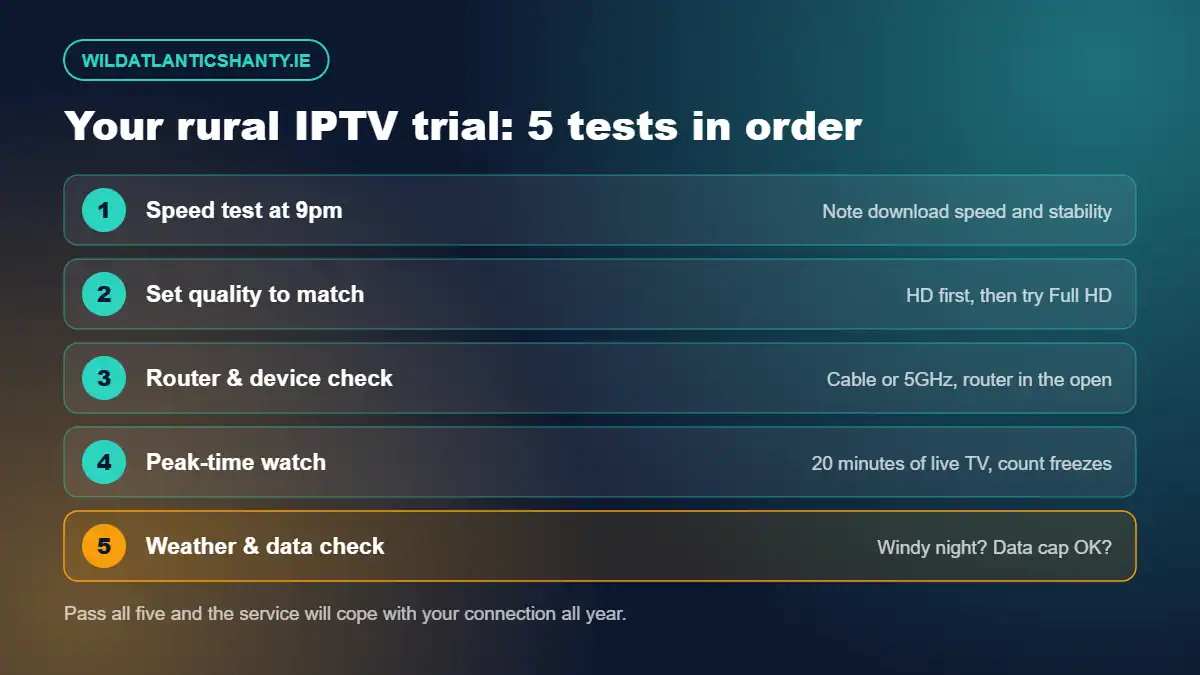
1. Speed test at 9pm
Run a speed test on the device you will watch on, at around 9pm. Note the download speed and run it twice more over the evening. On rural links, the lowest result is the one that matters.
2. Set quality to match
Start with HD channels. If the picture is perfect for 20 minutes, try Full HD. Only try 4K if your evening speed is comfortably above 25 Mbps.
3. Router and device check
If you see buffering, switch to a cable or 5GHz Wi-Fi, move closer to the router or try a second device. If the problem disappears, it was your setup – not the service.
4. Peak-time watch
Watch live TV for at least 20 minutes between 8pm and 10pm. Count freezes and time how long channels take to switch. A live match is the toughest test of all – see our Premier League IPTV guide for what to look for.
5. Weather and data check
If your trial runs into a wild Atlantic evening, note whether the picture holds up. Then check how much data the trial used, so you know whether your plan can handle a full month of viewing.
Weather, Data Caps and Other Rural Realities
Weather
Strong wind and heavy rain can affect fixed wireless and satellite links. A service that stays smooth on a blustery night is one that will cope with an Irish winter. If the picture only drops during storms, that is usually the connection rather than the provider.
Data caps
Streaming uses roughly 1.5–3 GB per hour in HD and considerably more in 4K. If your mobile or satellite plan has a cap, an evening of football and a film can add up quickly. Choose HD and check your usage after the trial.
Several screens at once
On a slower connection, two or three streams at the same time can be the tipping point. Test the number of screens you will really use, and ask about multi-room options before you buy.
Still seeing problems? Our IPTV buffering fix guide has step-by-step solutions.
Reading Your IPTV Trial Result Fairly
| What you saw | Most likely cause | Verdict |
|---|---|---|
| Smooth in HD all evening | Service and connection both fine | Pass – start with a 1-month plan |
| Buffering on all channels; speed test low | Your broadband at that moment | Not the service – lower quality and retest |
| Buffering on Wi-Fi only, fine on cable | Wi-Fi signal | Fix your setup, then retest |
| Freezing at peak time despite good speed and a cable | Provider servers under load | Fail – try another service |
| One channel will not load | Individual feed | Report to support and see how fast it is fixed |
For the bigger picture on what any trial can and cannot show, read what an IPTV free trial really tells you.
After Your Trial: Choosing a Plan
If the service passed on your connection, a short plan is the sensible next step. Here is how Wild Atlantic Shanty plans compare:
| Plan | Price | Per month |
|---|---|---|
| 1 Month | €12.99 | €12.99 |
| 3 Months | €24.99 | €8.33 |
| 6 Months | €34.99 | €5.83 |
| 12 Months | €49.99 | €4.16 |
See full details on our subscription page, our guide to choosing the right plan length and our terms and conditions.
Staying Safe and Legal
Keep your login private, never share passwords from other accounts and use payment methods you trust. Make sure the way you watch complies with Irish law – our article Is IPTV legal in Ireland? explains the key points.
IPTV Trial FAQ for Rural Homes
Can I run an IPTV trial on rural broadband?
Yes. Fixed wireless, 4G/5G, satellite internet and the fibre arriving under the National Broadband Plan can all support IPTV. The key is to test during busy evening hours and choose a picture quality your connection can sustain.
What speed do I need for an IPTV trial to be fair?
As a guide, allow around 10 Mbps for HD, 15 Mbps for Full HD and 25 Mbps or more for 4K, per screen. Run your speed test at about 9pm, when rural networks are usually busiest.
Should I test in 4K during an IPTV trial?
Only if your evening speed comfortably exceeds 25 Mbps. On fixed wireless or mobile broadband, start in HD. A smooth HD picture is far better than a 4K picture that keeps buffering.
How much data does IPTV use on a capped plan?
Streaming typically uses roughly 1.5–3 GB per hour in HD and considerably more in 4K. If your mobile or satellite plan has a data cap, check it before a long trial.
What should I do if my IPTV trial buffers in the evening?
Check your speed at the same moment, move to a cable or 5GHz Wi-Fi, lower the stream quality and try a second device. If it still freezes at peak time, the service is the likely cause.
Final Thoughts
Rural broadband does not rule you out of great IPTV – it just means your trial needs a little more planning. Test at 9pm, match the quality to your connection, fix your setup first and judge the service only on what it controls. Do that, and you will know with confidence whether it will cope with your home all year round.
Tell us about your connection: message Wild Atlantic Shanty on WhatsApp and we will suggest the best settings for your trial, or contact us here.