IPTV Ireland on your iPhone or iPad is the most underrated streaming setup in any Irish household — pocket-sized telly that follows you from the kitchen to the bus to the garden shed, in 4K Ultra HD, with the same login as your main TV. The catch? Apple’s App Store is famously restrictive about IPTV apps — Apple regularly removes or restricts them, which means the player you use on iOS isn’t the same one you’d use on Firestick or Android. The good news in 2026 is that the best iOS IPTV apps are better than ever — Smarters Player Lite, GSE Smart IPTV, IPTVX and iPlayTV all run beautifully, all support Xtream Codes, and all work flawlessly with Wild Atlantic Shanty’s IPTV Ireland service. This is the complete plain-English setup guide for iPhone, iPad, and Apple TV in 2026 — including iCloud sync, AirPlay to your big screen, and Picture-in-Picture on iPad. Want your credentials sent over first? Tap here to message us on WhatsApp and we’ll send your IPTV free trial in under 15 minutes. Sláinte.
Why iPhone and iPad Make Brilliant IPTV Ireland Devices in 2026
For most Irish households, the iPhone or iPad in your pocket is genuinely one of the best IPTV Ireland streaming devices you already own — and most people don’t realise it.
Hardware that’s built for streaming
Every iPhone from the iPhone 11 onwards (and every iPad from the 2020 iPad Pro / 2021 iPad Air onwards) includes:
- A-series or M-series chip — hardware decodes 4K HEVC streams without dropping a frame
- Liquid Retina or Liquid Retina XDR display — HDR content looks stunning at 60Hz or 120Hz (ProMotion)
- Wi-Fi 6 / Wi-Fi 6E — fast enough for multiple 4K streams simultaneously
- 5G connectivity (iPhone 12 onwards) — for streaming on the move with no buffering
- AirPlay 2 — cast your IPTV Ireland stream to any Apple TV, AirPlay-compatible Smart TV, or HomePod in seconds
- Picture-in-Picture (iPad and iPhone) — watch GAA in a floating window while browsing the EPG
- iCloud sync — playlists, favourites and watch history follow you between iPhone, iPad, Mac, and Apple TV
Where iPhone and iPad really shine for IPTV Ireland
- Irish expats abroad — slip your iPad into your luggage and you’ve got Irish telly anywhere with Wi-Fi
- Multiple-TV households — the kids on the iPad while you watch the match on the main telly, same subscription
- On-the-go GAA — pub closed for the second half? Pull out your iPhone and finish the match on the walk home
- Garden and shed viewing — iPad propped up by the back door during summer barbecues
- Quick check-ins — Sky Sports News or RTÉ News Now in your hand whenever you want
If you own a recent iPhone or iPad and you’re not using it for IPTV Ireland streaming, you’re leaving a brilliant secondary screen on the table.
What You’ll Need Before Setting Up IPTV Ireland on iPhone / iPad
Three quick things before we dive in. Five minutes of prep saves twenty minutes of troubleshooting.
1. A compatible iPhone or iPad
Any iPhone running iOS 14 or later works perfectly. That covers:
- iPhone 6s and newer for the iPhone lineup
- iPad Air 2 / iPad Pro 2015 and newer for iPads
For 4K Ultra HD streaming, you’ll want iPhone XR or newer and an iPad with an A12 chip or better — though most Wild Atlantic Shanty subscribers watch 1080p HD on their phones (4K detail isn’t really visible on a 6-inch screen anyway).
2. A stable internet connection
For HD streaming on iPhone or iPad, you need at least 10 Mbps download speed. For 4K, aim for 25 Mbps or higher. Most Irish broadband providers — Eir, Vodafone, Virgin Media, Sky Broadband — comfortably exceed this on Wi-Fi.
For streaming on the go over 4G/5G, your mobile data plan needs to allow video streaming (most Irish providers allow this on standard plans, but check your contract).
Test your speed at Speedtest.net from the same Wi-Fi or mobile network you’ll be streaming on.
3. An active IPTV Ireland subscription (or free trial)
If you haven’t got credentials yet, message us on WhatsApp for a free 24-hour trial — no card needed. We’ll send your username, password, and server URL within 15 minutes. Those three details are everything you need to set up any iOS IPTV app.
Visit our subscription page to see all our IPTV Ireland plans, or message us directly for the trial.
Best IPTV Apps for iPhone and iPad in 2026 (Ranked)
Apple’s App Store is more restrictive than Google Play — IPTV apps regularly get removed or rebranded, so the lineup changes faster than on Android. Here’s the honest 2026 ranking of what actually works for IPTV Ireland on iOS right now.
1. Smarters Player Lite — The Best iOS IPTV App Overall
Price: Free with a one-time $2.99-6.99 in-app purchase after a 7-day trial · 4.7★ rating · App Store available
Smarters Player Lite (also branded as Smarters IPTV Pro) is consistently the highest-rated IPTV app on the iOS App Store in 2026, and it’s the one we recommend to most Wild Atlantic Shanty subscribers on iPhone, iPad, and Apple TV.
What makes it the best for IPTV Ireland on iOS:
- Xtream Codes API login — fastest, most reliable setup with our credentials
- Native EPG with channel logos — looks like a polished cable TV guide
- Netflix-style movie browsing for the on-demand library
- AirPlay casting — cast from iPhone/iPad to any Apple TV or AirPlay-compatible TV
- Picture-in-Picture on iPad (floating window while you browse)
- iCloud sync — your favourites and settings follow you between devices
- 4K HEVC playback — hardware-decoded, no dropped frames
- Universal app — same app works on iPhone, iPad, and Apple TV
The catch: The free version has a 7-day trial; after that, you pay the one-time fee (around €3-7) to keep using it. Worth it for the polish.
Best for: Anyone using IPTV Ireland across multiple Apple devices (iPhone + iPad + Apple TV).
2. GSE Smart IPTV — Best Free iOS Option (Most Consistent Availability)
Price: Free basic tier · $2.99 one-time premium upgrade · App Store available for years
GSE Smart IPTV is the longest-running and most consistently available IPTV app on iOS. Even when Apple periodically purges IPTV apps from the App Store, GSE has stuck around for years.
Why GSE is a strong choice:
- Supports M3U, Xtream Codes API, and JSON playlists — covers every IPTV provider format
- Granular subtitle control with multiple audio tracks
- Parental controls with PIN locks
- Full EPG support with multiple timeline views
- Split-view on iPad — EPG alongside the live stream
- AirPlay support
- Custom playlist organisation with channel groups and favourites
The catch: Less polished interface than Smarters Player Lite. The Pro upgrade ($2.99) removes ads.
Best for: Budget-conscious users who want the most reliable long-term iOS app — GSE has been around the longest and is least likely to disappear from the App Store.
3. IPTVX — Best for On-Demand Library Browsing
Price: $5.99 one-time payment · App Store
IPTVX is specifically optimised for browsing huge VOD libraries — useful for Wild Atlantic Shanty subscribers who use the 100,000+ on-demand film and series collection alongside live TV.
What sets IPTVX apart:
- Movie poster grid with cover art for the entire VOD library
- Actor search and TMDB integration — find every Tom Hanks film in the library in seconds
- iCloud sync across all your Apple devices
- Beautifully designed iPad interface — looks like a premium streaming service
- Picture-in-Picture on iPad
- AirPlay to Apple TV
The catch: Less focused on live TV — the EPG isn’t as polished as Smarters Player Lite. Best paired with another app for live channel surfing.
Best for: Apple device users who watch a lot of films and on-demand content rather than live TV.
4. iPlayTV — Best for Apple TV Integration
Price: $6.99 one-time on iPhone/iPad · App Store
iPlayTV is one of the few apps that genuinely treats Apple TV as a first-class platform alongside iPhone and iPad. If you’ve got an Apple TV 4K in the sitting room, this is your best option.
Why it’s worth a look:
- Native tvOS app — feels designed for the Apple TV remote
- iCloud sync across iPhone, iPad, and Apple TV
- Excellent EPG layout on the bigger Apple TV interface
- Multi-playlist support for households with multiple IPTV providers
- AirPlay and Picture-in-Picture
- 4K HDR playback with Dolby Vision support
The catch: Pricier than the others, and the interface on iPhone alone isn’t quite as polished as Smarters Player Lite.
Best for: Households built around Apple TV 4K as the primary streaming device.
5. VLC for Mobile — Free Backup Option
Price: Free, no in-app purchases · App Store
VLC for Mobile is the iOS version of the well-known VLC media player. It’s not a polished IPTV app — but it does play M3U playlists, supports most codecs, and is permanently free.
Why keep VLC handy:
- 100% free, no ads, no premium tier
- Plays virtually any video format and codec
- Useful as a backup if your main IPTV app stops working
- Privacy-focused (open-source, no tracking)
The catch: No EPG, no proper channel categories, just plays the raw M3U feed. Awkward for everyday use, perfect as an emergency backup.
Best for: A second app on your phone for when your main one acts up.
Quick Comparison: Best IPTV Apps for iPhone, iPad & Apple TV in 2026
| App | Price | Best For | iCloud Sync | AirPlay |
|---|---|---|---|---|
| Smarters Player Lite ⭐ | Free + $2.99-6.99 once | Overall best iOS app | ✓ | ✓ |
| GSE Smart IPTV | Free / $2.99 once | Most reliable long-term | ✓ | ✓ |
| IPTVX | $5.99 once | VOD library browsing | ✓ | ✓ |
| iPlayTV | $6.99 once | Apple TV-focused households | ✓ | ✓ |
| VLC for Mobile | Free forever | Backup / emergencies | — | ✓ |
All five work flawlessly with Wild Atlantic Shanty’s IPTV Ireland service. For most households, Smarters Player Lite is the right starting point — start there, switch to one of the others only if you have a specific need.
Step-by-Step: How to Set Up IPTV Ireland on iPhone or iPad
Here’s the clean 5-minute walkthrough using Smarters Player Lite (the same steps work for any iOS app — only the menu labels change slightly).
Step 1: Install Smarters Player Lite from the App Store
Open the App Store on your iPhone or iPad. In the search bar, type “Smarters Player Lite” or “Smarters IPTV Pro”. Tap Get to install. Sign in with your Apple ID if prompted.
If you don’t see Smarters Player Lite in your region (Apple’s App Store availability varies), try GSE Smart IPTV as an alternative — it’s available in virtually every region.
Step 2: Open the app and accept the terms
Launch the app. Accept the terms of service and any permissions it requests (notifications, network access). On first launch you’ll be prompted to add a playlist or account.
Step 3: Choose “Add User” → “Login with Xtream Codes API”
The Xtream Codes API method is the fastest and most reliable way to load your IPTV Ireland channels.
Select Add User → Login with Xtream Codes API (sometimes labelled just “Xtream Codes”).
Step 4: Enter your Wild Atlantic Shanty credentials
You’ll see four fields:
- Any Name: Type “Wild Atlantic Shanty” (or anything you like — this is just a label)
- Username: Enter the username we sent you on WhatsApp
- Password: Enter the password we sent you on WhatsApp
- Server URL: Enter the server URL we sent you (starts with
http://)
Tip: iOS auto-correct sometimes capitalises the first letter of passwords. Tap the password field carefully and verify nothing was changed. IPTV credentials are case-sensitive.
Tap Add User.
Step 5: Wait for the channel list to load
The app will load your full channel list and EPG. On first install, this takes 30-90 seconds depending on your internet speed. You’ll see categories appear: Live TV, Movies, Series, EPG.
Step 6: Start watching
Tap Live TV in the main menu. Browse the categories (Irish, UK, Sports, Movies, Kids, International) and tap any channel to start streaming. Use the Favourites button on each channel to build your shortlist.
That’s it. You’ve now got Wild Atlantic Shanty IPTV Ireland running on your iPhone or iPad. Pour yourself a cup of tea and have a flick through.
Casting IPTV Ireland from iPhone/iPad to Your Big Screen via AirPlay
This is one of the most underrated features for Irish households with Apple TV or AirPlay-compatible Smart TVs.
What is AirPlay?
AirPlay is Apple’s wireless streaming protocol. It lets you mirror or stream content from your iPhone or iPad directly to:
- Any Apple TV (HD or 4K)
- AirPlay 2 compatible Smart TVs — most Samsung (2018+), LG (2019+), Sony, Vizio, and Hisense models
- AirPlay 2 speakers like HomePod and HomePod Mini (for audio-only streaming)
How to AirPlay IPTV Ireland from iPhone or iPad
- Open your IPTV app and start playing a channel
- Tap the AirPlay icon in the playback controls (looks like a TV with a triangle underneath)
- Select your Apple TV or compatible Smart TV from the list
- The stream switches from your phone screen to your TV within 2 seconds
Why it’s useful:
- Quick big-screen viewing without setting up your TV’s own IPTV app
- Hotel rooms with AirPlay-compatible TVs — cast your home Irish telly to the hotel telly
- Friend’s house — bring your IPTV Ireland subscription with you on your phone
- Two-screen viewing during big matches — phone in hand for live updates, TV for the main stream
For permanent installation on Samsung or LG Smart TVs themselves (without AirPlay), see our Samsung & LG Smart TV setup guide. For Apple TV permanent setup, install Smarters Player Lite directly on the Apple TV from the tvOS App Store.
Watching IPTV Ireland on Your iPhone While Travelling
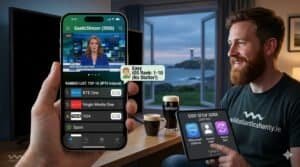
This is where iPhone setup really shines — your full Irish telly travels with you anywhere in the world.
How it works abroad
Wild Atlantic Shanty IPTV Ireland works anywhere with a stable internet connection of 10 Mbps or higher. That means your iPhone or iPad becomes a portable Irish TV in:
- The UK — flawless on EE, Vodafone, Three, O2
- Across the EU — works perfectly with EU roaming (and your home plan’s data allowance often covers it)
- Long-haul travel — UAE, Singapore, Hong Kong, USA, Canada, Australia all confirmed working
- Hotel Wi-Fi — works on most hotel networks (some restrictive ones require a VPN)
- Cruise ships and remote locations — anywhere with satellite internet
Tips for iPhone IPTV streaming abroad
- Pre-download offline content before flying — VOD content can be saved for plane viewing
- Use mobile data sparingly if you’re not on EU roaming — a 90-minute football match in HD uses ~1.5GB
- Pair with a VPN if needed — see our Irish expats guide for full details on countries where a VPN helps
- Lower the stream quality when on hotel Wi-Fi (drop from 4K to HD to save bandwidth)
For everything Irish expats need to know, see our dedicated IPTV Ireland for Irish expats guide.
Common IPTV Ireland Issues on iOS — and How to Fix Them
Even with the best setup, you’ll occasionally hit a snag. Here’s the troubleshooting for iPhone and iPad specifically.
The IPTV app disappeared from my home screen
Apple occasionally removes IPTV apps from the App Store. Two things to know:
- If you already installed it, it usually stays on your phone — check your App Library
- If it was deleted, reinstall from your purchase history in the App Store (Account → Purchased)
- If the app is gone permanently, switch to a different app from the list above — Smarters Player Lite, GSE Smart IPTV, IPTVX, and iPlayTV all use the same Xtream Codes login
“Authentication failed” or “Wrong credentials” error
99% of the time this is a typo. iOS auto-correct often capitalises letters in passwords. Re-enter your username and password carefully:
- Tap the password field
- Make sure auto-capitalise is off (no first-letter caps)
- No trailing spaces
- Paste from the WhatsApp message rather than typing manually
If still failing, message us on WhatsApp — we’ll verify your account on our side and resend the credentials.
Channels buffer constantly on Wi-Fi
iOS prioritises battery life over network performance, so it occasionally throttles streaming on Wi-Fi.
- Force-close and reopen the IPTV app (swipe up on the app card)
- Switch to 5GHz Wi-Fi if your router has both bands
- Move closer to the router
- Restart Wi-Fi in Settings → Wi-Fi → toggle off and back on
Full buffering troubleshooting in our IPTV Ireland buffering fix guide.
Stream works on Wi-Fi but not on 4G/5G
Some mobile providers throttle video streaming on standard data plans. Solutions:
- Check your data plan allows video streaming (most Irish providers do)
- Switch streaming quality from 4K to HD to use less data
- Add a VPN to prevent ISP-level throttling on mobile data
EPG is blank or not loading
The EPG loads after the channel list and can take 30 seconds to 5 minutes on first install. If it’s still empty after 5 minutes:
- Go to Settings → Reload EPG in your app
- Force-close and reopen the app
- Check your time zone is set correctly in iOS Settings → General → Date & Time → Set to “Dublin”
AirPlay won’t connect to my Apple TV
- Both devices on the same Wi-Fi network? Check
- Apple TV awake? Press the remote to wake it
- Restart both devices if AirPlay still fails
App crashes when opening 4K channels
Older iPhones/iPads (pre-iPhone XS) can struggle with 4K HEVC streams. Drop the quality to HD inside the app, or use the Wild Atlantic Shanty HD stream variants — picture is still excellent on a phone screen.
If anything else is acting up, our WhatsApp support is one tap away 24/7.
Pro Tips for the Smoothest IPTV Ireland Experience on iOS
A few small tweaks that make a real difference for iPhone and iPad IPTV streaming.
Enable Background App Refresh for your IPTV app. Settings → General → Background App Refresh → ON for your IPTV app. Keeps the channel list and EPG fresh in the background.
Use Picture-in-Picture on iPad. Tap the PiP icon while playing → swipe the floating window to any corner → browse Safari, message, or check the EPG while the match plays in a corner.
Lock the iPhone’s screen rotation in portrait mode when streaming on the go — keeps videos in fullscreen landscape without accidental rotation.
Add an IPTV widget to your home screen for one-tap access — long-press the home screen, tap +, search for your IPTV app, choose the widget size.
Use Focus Mode during matches — Settings → Focus → Sports → block notifications during football/GAA viewing windows.
Enable Low Data Mode on cellular if your mobile plan has a cap — Settings → Cellular → [your provider] → Low Data Mode → ON.
Connect a Bluetooth speaker or HomePod for proper audio — IPTV streaming audio sounds infinitely better through a real speaker than the iPhone’s built-in speaker.
Use your iPad as a second screen during big matches — main game on the TV, secondary match on the iPad on the kitchen counter.
Ready to Set Up IPTV Ireland on Your iPhone or iPad?
If you’ve got an iPhone or iPad — even one that’s a few years old — you’ve got one of the best portable IPTV streaming devices money can buy. All you need is the right app and a reliable Irish service.
Option 1: Try the IPTV free trial first. Message us on WhatsApp and we’ll send your full access credentials within 15 minutes. Set up Smarters Player Lite on your iPhone or iPad, test it on Sunday’s match, and decide if it’s for you. No card, no commitment.
Option 2: Skip ahead to the best plan. Visit our subscription page and grab the 12-month plan at €49.99 (€4.16/month). Supports up to 4 devices simultaneously — perfect for households with multiple Apple devices (iPhone for you, iPad for the kids, Apple TV in the sitting room, all on one login).
Whichever route you take, our 24/7 WhatsApp support is here to help with setup, app recommendations, and any iOS-specific quirks. We’ve helped hundreds of Irish iPhone and iPad users get streaming — yours could be next.
Sláinte!
Frequently Asked Questions About IPTV Ireland on iPhone & iPad
What’s the best IPTV app for iPhone in 2026?
Smarters Player Lite (also called Smarters IPTV Pro) is the highest-rated and most-recommended iOS IPTV app in 2026 — 4.7★ on the App Store, supports Xtream Codes login, includes AirPlay casting, Picture-in-Picture on iPad, and iCloud sync. It’s free with a one-time $2.99-6.99 upgrade after a 7-day trial. If you want a permanently free option, GSE Smart IPTV is the strongest alternative.
Can I use TiviMate on iPhone or iPad?
No. TiviMate is Android TV / Google TV only — there’s no iOS version, and there never will be (the developer has confirmed this publicly). The iOS equivalent in terms of polish and functionality is Smarters Player Lite.
How do I cast IPTV Ireland from my iPhone to my TV?
Use AirPlay. While playing a channel in your IPTV app, tap the AirPlay icon in the playback controls and select your Apple TV or AirPlay 2-compatible Smart TV (most Samsung, LG, and Sony models from 2018 onwards support AirPlay 2). The stream moves to your TV within 2 seconds.
Can I use the same IPTV Ireland subscription on iPhone, iPad and Apple TV?
Yes — depending on your plan. Our 1-month plan supports 1 device, 3-month supports 2, 6-month supports 3, and the 12-month plan supports 4 simultaneous devices. Perfect for a household with iPhone + iPad + Apple TV + a Smart TV all on one login. See subscription details.
Why does Apple keep removing IPTV apps from the App Store?
Apple’s App Store policies are stricter about IPTV than Google Play. Apple periodically purges apps it considers to facilitate copyright infringement. The apps that survive — like Smarters Player Lite and GSE Smart IPTV — are general-purpose video players that don’t include any pre-loaded content; they only play whatever IPTV service you connect to them. This is why they remain legal and available.
Does AirPlay work in 4K?
Yes — AirPlay 2 supports 4K HDR streaming from compatible devices. You’ll need an iPhone XR or newer (or an iPad with an A12 chip or better), an Apple TV 4K or AirPlay 2 4K-compatible Smart TV, and Wi-Fi 5 or better.
Can I watch IPTV Ireland on my iPhone in the USA, UK, or abroad?
Absolutely. Wild Atlantic Shanty works anywhere in the world with 10+ Mbps internet. Your iPhone or iPad becomes a portable Irish TV. Thousands of our subscribers are Irish expats using their iPhones to watch RTÉ, GAA, and Premier League from London, Sydney, Boston, Dubai and beyond. See our Irish expats guide.
What if my IPTV app on iPhone stops working overnight?
Apple occasionally removes IPTV apps from the App Store, but apps already installed on your phone usually keep working. If yours stops, simply install one of the alternatives — Smarters Player Lite, GSE Smart IPTV, IPTVX or iPlayTV all use the same Xtream Codes credentials, so switching is a 2-minute process. Message us if you need help.
Will streaming IPTV Ireland kill my iPhone battery?
Video streaming uses ~10-15% battery per hour on iPhone (less on iPad due to bigger batteries). For long viewing sessions, keep your iPhone plugged in or use a portable battery pack. Lower the screen brightness and stream quality to maximise battery life.
Is using IPTV Ireland on iPhone legal in Ireland?
Yes. IPTV technology is fully legal in Ireland and the EU. Apple’s App Store wouldn’t carry IPTV player apps if they were illegal — they’re general video players that work with any streaming service. What matters is the provider you use. Wild Atlantic Shanty operates transparently — see our Terms & Conditions and IPTV Ireland legality guide for full details.
That’s the complete 2026 setup guide for IPTV Ireland on iPhone and iPad. The combination of Apple’s hardware, AirPlay casting, iCloud sync across devices, and Picture-in-Picture on iPad makes iOS one of the most flexible IPTV streaming platforms around — and far too few Irish households are using it to its full potential. If you’ve any specific questions about your iPhone or iPad model, AirPlay setup, or which app to start with, our WhatsApp support is one tap away.
Up the Shanty. Sláinte! 🍀