IPTV Ireland on an Android TV box or Google TV stick is, in many Irish living rooms, the single best streaming setup money can buy — but only if you pick the right app. Sony Bravia, Hisense, TCL, Philips, Xiaomi Mi Box, and Nvidia Shield all run Android TV (now branded as Google TV on newer models), and that means access to the most powerful and customisable IPTV apps in the world. The catch? The Google Play Store has dozens of “IPTV players” listed and most are rubbish — slow, buggy, or abandoned. This is the no-fluff 2026 ranking of the 5 best IPTV apps for Android TV, tested against Wild Atlantic Shanty’s Irish streams, with full setup steps for each. Want to skip ahead and try the service first? Grab our IPTV free trial — 24 hours of full access, no card needed. Sláinte.
Why Android TV Is Quietly the Best Platform for IPTV Ireland
For most Irish households, the conversation about IPTV streaming devices starts with the Firestick — and that’s fair. Amazon’s stick is cheap, popular, and reliable. But if you’ve got an Android TV–based device (Sony, Hisense, TCL, Philips), or if you’re considering a Nvidia Shield or Xiaomi Mi Box, you’re actually in the strongest position of all.
Here’s why Android TV is the power user’s platform for IPTV Ireland:
- Full Google Play Store access — Most major IPTV apps (TiviMate, IPTV Smarters Pro, XCIPTV, OTT Navigator) are available natively, with no sideloading required.
- More processing power — Devices like the Nvidia Shield Pro run circles around a Firestick on 4K HEVC streams.
- Better codec support — Native AV1 support on newer Android TV models means crisp 4K streaming with lower bandwidth use.
- Smoother UI — Android TV’s grid-based layout is built for remote navigation; channel switching feels instant.
- Better apps available — Some of the very best IPTV players (like full-featured TiviMate Premium) only run on Android.
If you’ve got a 2020+ Sony Bravia, Hisense, TCL, Philips Android TV, or a dedicated streaming box like the Nvidia Shield, Xiaomi Mi Box S, or Chromecast with Google TV — you’re already on the best platform for IPTV Ireland streaming. You just need to pick the right app.
What Makes a Good IPTV App for Android TV in 2026
Before we get to the rankings, here’s what actually separates a great IPTV Android TV app from a dud — based on what we look for when recommending apps to Wild Atlantic Shanty subscribers:
- Xtream Codes API support — The fastest, most reliable login method (username + password + URL). All our top picks support it.
- Live EPG (TV guide) that auto-refreshes — So you can plan your viewing instead of channel-flipping.
- 4K HEVC playback without crashing — Critical for All-Ireland Finals and Premier League nights.
- Multi-playlist support — Useful if you ever want to add a backup or family-shared playlist.
- Remote-friendly UI — Apps designed for big screens, not blown-up phone interfaces.
- Active development — Regular updates that keep up with Android TV OS changes.
- Catch-up & recording — For when your county’s match clashes with a wedding.
- No ads, no spyware — Free apps that aren’t actually free should be avoided.
Every app on our 2026 list ticks all of those boxes — varying only in polish, price, and feature depth.
The 5 Best IPTV Apps for Android TV in 2026 (Ranked)
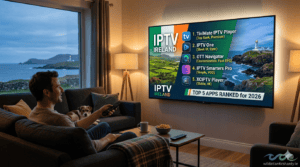
After testing every major contender against Wild Atlantic Shanty’s IPTV Ireland streams over the past year, here’s the honest 2026 ranking.
1. TiviMate — The Best IPTV App for Android TV (Overall Winner)
Price: Free version available · Premium one-time fee $33.99 lifetime or $9.99/year · Works only on Android TV/Google TV (no iOS, no Samsung Tizen, no LG WebOS)
TiviMate is — without question — the best IPTV player for Android TV in 2026. It’s the one we recommend to every Wild Atlantic Shanty subscriber who’s running a Sony Bravia, Hisense, Nvidia Shield, or any Google TV device.
What makes TiviMate stand out:
- Cable-TV-like grid EPG that loads instantly and auto-refreshes
- Multi-playlist support — load 5+ different IPTV providers in one app
- Native catch-up support — rewatch matches you missed during the week
- Recording to USB or NAS (Premium only) — schedule recordings of your county’s championship games
- Picture-in-Picture — watch GAA in a corner while browsing the EPG
- Customisable channel groups & favourites — organise channels exactly how you want
- Parental controls with PIN locks
- Lightning-fast channel switching — under 1 second on most devices
- Multi-view — watch up to 4 channels on screen at once (Premium)
The catch: TiviMate Premium isn’t free. The one-time $33.99 lifetime payment is the best value in the IPTV world — supports up to 5 devices and you’ll never pay again. The free version is generous but lacks recording and multi-screen features.
Best for: Anyone with an Android TV or Google TV who wants the best possible IPTV Ireland experience and doesn’t mind paying once for premium quality.
How to set up TiviMate with Wild Atlantic Shanty:
- Open the Google Play Store on your Android TV
- Search for “TiviMate IPTV Player” and install
- Open TiviMate and choose “Add Playlist → Xtream Codes”
- Enter the username, password, and server URL we send you on WhatsApp
- Wait 30 seconds for the channel list and EPG to load
- You’re streaming. Pour yourself a cup of tea.
2. IPTV Smarters Pro — The Best Cross-Platform Choice
Price: Completely free · Available on Android TV, Google TV, Firestick, iOS, Samsung Tizen, LG WebOS, Windows, Mac
IPTV Smarters Pro is the most universal IPTV app on the planet. It runs on virtually every device an Irish household might own, which makes it the smart choice if you want one consistent app across multiple TVs, your phone, your iPad, and your laptop.
What makes IPTV Smarters Pro great:
- Free, with no premium tier — no upsells, no locked features
- Xtream Codes + M3U + JSON support — works with every IPTV provider
- Multi-user profiles — perfect for households with kids
- Built-in parental controls — block adult channels behind a PIN
- VOD library + live TV + series in one interface
- Cast to TV from phone — useful for Irish expats
- Solid EPG support — not as polished as TiviMate but more than enough
- Same login works across all devices — set up once, watch anywhere
The catch: The interface is functional but less polished than TiviMate. The default video player can lag on heavy 4K streams (you can switch to an external player like VLC or MX Player to fix this).
Best for: Households with mixed devices (Android TV + iPhone + Smart TV + laptop) who want the same app everywhere.
How to set up IPTV Smarters Pro with Wild Atlantic Shanty:
- Install “IPTV Smarters Pro” from the Google Play Store
- Open the app and tap “Login with Xtream Codes API”
- Enter “Wild Atlantic Shanty” in the name field
- Paste in your username, password, and server URL from our WhatsApp message
- Hit Login — your channel list loads in under a minute
For the Firestick version of this same app, see our companion Firestick setup guide.
3. OTT Navigator — The Underrated Power User Pick
Price: Free trial, then €19.99/year or €34.99 lifetime · Android TV/Google TV only
OTT Navigator is the dark horse of the 2026 rankings. It’s not as well known as TiviMate or IPTV Smarters Pro, but power users who try it often refuse to switch back. Sleek dark-themed interface, brilliant EPG, deep playlist management.
What makes OTT Navigator special:
- Best-in-class EPG layout — clean, fast, customisable
- Excellent catch-up support for Irish broadcasters (RTÉ, BBC iPlayer-style replays)
- Picture-in-Picture without needing a premium upgrade for some features
- Multi-screen mode — split-screen for sports + news
- Detailed playlist sorting tools for huge channel lists
- Smooth handling of 25,000+ channel feeds (where some apps slow down)
- Subtitle support with multiple language tracks
- Built-in chromecast support
The catch: Lifetime tier is more expensive than TiviMate, and it doesn’t run on iOS or Smart TVs — Android TV/Google TV only. Some advanced settings have a steeper learning curve.
Best for: Power users with Android TV who want maximum flexibility and a premium-feeling experience.
How to set up OTT Navigator with Wild Atlantic Shanty:
- Install “OTT Navigator IPTV” from the Google Play Store
- Skip the trial setup → go to Settings → Playlists → Add new
- Choose “Xtream Codes API”
- Enter your credentials from our WhatsApp message
- Channel list and EPG load within a minute
4. XCIPTV Player — The Best Free IPTV App for Android TV
Price: 100% free, lifetime · Android TV/Google TV/Firestick
XCIPTV is the hands-down best completely free IPTV app for Android TV in 2026. No premium tier, no locked features, no annoying upsells. If your budget is zero and you just want a working IPTV Ireland setup, XCIPTV is your friend.
What makes XCIPTV stand out:
- Genuinely free, forever — no in-app purchases at all
- Lightweight — runs smoothly on older or budget Android boxes
- Xtream Codes + M3U support — works with every IPTV provider
- External player support — pair with VLC or MX Player to eliminate buffering
- Decent EPG — not as polished as TiviMate but functional
- Multiple login profiles for shared households
- Built-in catch-up for compatible providers
The catch: The interface looks dated compared to TiviMate or OTT Navigator. The native video player can struggle with 4K HEVC streams on busy nights — using an external player fixes this entirely.
Best for: Budget-conscious households, older Android boxes, or anyone who refuses to pay for an IPTV player on principle.
How to set up XCIPTV Player with Wild Atlantic Shanty:
- Install “XCIPTV Player” from the Google Play Store
- Open the app and choose “Xtream Codes API Login”
- Enter your Wild Atlantic Shanty credentials
- Important: Go to Settings → External Player and select VLC or MX Player for the smoothest 4K performance
- Channel list loads in 30–60 seconds
5. Sparkle TV / Televizo — The Mobile-Friendly Option
Price: Free version + optional premium · Android TV/Google TV/phones/tablets
Sparkle TV (also known as Televizo in some regions) rounds out our top 5 as the best option for households that watch IPTV across multiple Android devices — including phones and tablets, not just the TV.
What makes Sparkle TV worth a look:
- Mobile-friendly design that scales beautifully across phone, tablet, and TV
- Xtream Codes + M3U support
- Decent EPG with auto-refresh
- Easy playlist management — switch between providers in seconds
- Lightweight — perfect for budget Android phones used by Irish expats abroad
- Free tier covers most use cases — premium adds extras like ad removal
The catch: Less feature-rich than TiviMate or OTT Navigator on the big screen. Works best as a secondary or mobile-companion app.
Best for: Irish expats abroad who watch on Android phones/tablets while travelling, or households that already use TiviMate on the main TV and want a backup.
Quick Comparison: The 5 Best IPTV Apps for Android TV in 2026
| App | Price | Best For | Multi-Device |
|---|---|---|---|
| TiviMate ⭐ | $33.99 lifetime | Best overall on Android TV | Up to 5 |
| IPTV Smarters Pro | Free | Cross-platform households | Unlimited |
| OTT Navigator | €34.99 lifetime | Power users | Up to 5 |
| XCIPTV Player | Free | Budget builds | Unlimited |
| Sparkle TV / Televizo | Free | Mobile-friendly use | Unlimited |
All 5 work flawlessly with Wild Atlantic Shanty’s IPTV Ireland service. You don’t need to pick a “best” one — different apps suit different households.
How to Choose the Right Android TV Box for IPTV Ireland
If you’re shopping for a new Android TV device specifically to run IPTV Ireland, here’s what we recommend in 2026 — based on real-world testing with Wild Atlantic Shanty streams.
Best Value: Chromecast with Google TV (4K)
Around €40–€55 in Ireland. Plugs into any HDMI port like a Firestick. Runs all 5 apps above natively, including TiviMate. 4K HDR support, decent processor, full Google Play Store. Genuinely the best entry-level Android TV device for IPTV.
Best Mid-Range: Xiaomi Mi Box S (2nd Gen)
Around €60–€80. Better processor than the Chromecast, more storage, full Android TV with Google Assistant. Handles 4K HEVC streams without breaking a sweat. Great for households who watch a lot of sports.
Best Premium: Nvidia Shield TV / Shield TV Pro
Around €160–€220. The undisputed king of Android TV boxes. Beastly processor, unmatched 4K performance, AI upscaling for older HD content (genuinely makes a difference on Irish broadcasters), and the only Android device that handles Dolby Atmos passthrough on every IPTV app. If you’re a serious GAA or Premier League watcher, this is the one.
Built-In: Sony Bravia / Hisense / TCL / Philips Smart TVs
If your TV already runs Android TV / Google TV (most Sony Bravia, Hisense, TCL, and Philips models from 2020+), you don’t need any external box. Just install your IPTV app of choice from the Google Play Store and you’re sorted.
Pro Tips for the Smoothest IPTV Ireland on Android TV
A few real-world tips from setting up Wild Atlantic Shanty on hundreds of Irish Android TV devices.
Use Ethernet over Wi-Fi for the main TV. Most Android TV boxes have an Ethernet port. A wired connection beats Wi-Fi for live sports streaming, especially on All-Ireland Final day when the whole country is online at once.
Set TiviMate or your chosen app as the default player. Go to Android Settings → Apps → Default apps → Open by default → IPTV Ireland service so your TV launches your IPTV app automatically.
Disable Android TV “ambient mode” if your device idles back to a screensaver during long matches. Settings → Display → Daydream → Off.
Pair an external player like VLC with apps like XCIPTV or IPTV Smarters Pro for crash-free 4K playback. The native players sometimes struggle on heavy streams; external players don’t.
Keep your apps updated through Google Play. Most IPTV apps push updates monthly that fix bugs and improve speed.
Use the 5GHz Wi-Fi band if you must use wireless. It’s faster and far less crowded than 2.4GHz on Irish home networks.
Restart your Android TV box weekly. Android devices accumulate cache over time. A weekly restart keeps everything snappy.
Buy a good HDMI cable. A cheap HDMI cable can absolutely bottleneck 4K HDR signals. A €15 high-speed HDMI 2.1 cable from Currys or a decent online store makes a real difference.
Common IPTV Ireland Issues on Android TV — and How to Fix Them
Even with the best app and the best box, you’ll occasionally hit a snag. Here’s how to troubleshoot quickly.
App crashes when opening 4K channels
Switch to an external player. In TiviMate, IPTV Smarters Pro, or XCIPTV, go to Settings → Player → Use external player → MX Player or VLC. Solves 90% of crash issues.
Channels load but freeze every few seconds
Almost always a Wi-Fi issue. Switch to Ethernet, or move closer to your router. Run a speed test at Speedtest.net — anything under 10 Mbps will struggle on HD; anything under 25 Mbps will struggle on 4K.
EPG doesn’t load or shows wrong times
In your IPTV app, go to Settings → EPG → Reload. Wait 1–2 minutes. The EPG can take longer to populate than the channel list. If it’s still wrong, check your time zone is set to “Dublin” in Android TV settings.
“Authentication failed” message
Re-enter your credentials carefully. Capital letters matter. If it still fails, message us on WhatsApp — we’ll verify and re-issue immediately.
Remote stops responding during streaming
This is an Android TV bug, not an IPTV issue. Hold the Home button for 3 seconds to force-restart the TV interface. If it persists, factory reset the remote (instructions vary by brand).
Channel list is missing channels you expect
Reload the playlist: Settings → Playlists → Refresh. If channels are still missing, message our support and we’ll check if there’s a server issue or if you’re on the right plan.
If you’re stuck on anything else, our 24/7 WhatsApp support is one tap away.
Ready to Stream IPTV Ireland on Your Android TV?
If you’ve got an Android TV box, Sony Bravia, Hisense, TCL, Philips, Nvidia Shield, or Xiaomi Mi Box — you’ve got the strongest possible platform for streaming Irish telly. All you need is the right app and a reliable IPTV provider.
Option 1: Try the IPTV free trial. Message us on WhatsApp at +44 7452 112479 and we’ll send your full access credentials within 15 minutes. No card needed, no commitment.
Option 2: Pick a plan and lock it in. Visit our subscription page and grab the 12-month plan at €49.99 — that’s €4.16 per month, less than a takeaway coffee per week. Activation is instant after payment.
Whichever route you take, our 24/7 WhatsApp support is here to help you set up TiviMate, IPTV Smarters Pro, or whichever app you choose. We’ve helped over 3,000 Irish households make the switch — yours could be next.
Sláinte!
🎬 CTA BOX (highlighted card)
Ready to try Wild Atlantic Shanty on your Android TV? Claim your IPTV Ireland free trial for 24 hours — no card needed.
[Button: Message Us on WhatsApp →] Links to: https://wa.me/447452112479?text=Hi%20Wild%20Atlantic%20Shanty%2C%20I%27ve%20just%20read%20your%20Android%20TV%20app%20guide%20and%20I%27d%20like%20to%20claim%20my%20FREE%2024-hour%20IPTV%20Ireland%20trial.
Frequently Asked Questions About IPTV Ireland on Android TV
What’s the best IPTV app for Android TV in 2026?
For most Irish households, TiviMate is the best IPTV app for Android TV in 2026 — its grid EPG, recording, multi-screen, and instant channel switching are unmatched. The Premium version is a one-time $33.99 payment. If you want a free option that works across multiple devices, IPTV Smarters Pro is the next best pick.
Will TiviMate work on my Sony Bravia or Hisense TV?
Yes — if your TV runs Android TV or Google TV (most Sony Bravia, Hisense, TCL, and Philips models from 2020 onwards do). Just install TiviMate from the Google Play Store directly on the TV. No external box needed.
Is TiviMate free or paid?
TiviMate has both a free version and a Premium version. The free version is generous and includes EPG, multi-playlist support, and channel groups. Premium ($33.99 lifetime) adds recording, multi-view, picture-in-picture, and parental controls. Wild Atlantic Shanty subscribers get full access either way — TiviMate Premium just adds extra features for your viewing comfort.
Do I need a separate IPTV subscription with these apps?
Yes. TiviMate, IPTV Smarters Pro, OTT Navigator, and the others are player apps — they don’t include any channels themselves. You need an IPTV Ireland subscription like Wild Atlantic Shanty to provide the actual streams. The app is the front-end; we provide the channels.
Can I run TiviMate on a Firestick?
Yes — TiviMate works on Amazon Firestick too, since the Firestick runs a customised version of Android. Install via the Downloader app with TiviMate’s official URL. See our full Firestick setup guide for the exact steps.
Which Android TV box should I buy for IPTV Ireland?
For most households, the Chromecast with Google TV (4K) at around €40–€55 is the best value. For sports fans who want premium 4K performance and AI upscaling, the Nvidia Shield TV at €160–€220 is unbeatable. Both run every app on this list flawlessly.
Is IPTV legal on Android TV in Ireland?
Yes. IPTV technology is fully legal in Ireland and the EU. Android TV is just hardware — what matters is the IPTV provider you use. Choose a transparent provider like Wild Atlantic Shanty with clear Terms & Conditions. For full details, see our guide: Is IPTV Ireland Legal?
Can I use the same IPTV Ireland subscription on Android TV and my phone?
Yes — depending on your plan. Our 12-month subscription supports up to 4 simultaneous device connections, so you can watch on your Android TV, phone, tablet, and laptop all at once. Same login works everywhere. See full details on our subscription page.
That’s the lot. With Android TV and Google TV becoming the default smart-TV operating system across Sony, Hisense, TCL, Philips, and standalone devices, Irish households have never had more powerful IPTV streaming options. Pair the right app with a transparent IPTV Ireland service like Wild Atlantic Shanty and you’re set up for years of brilliant streaming. If you’re stuck on which app to pick or which box to buy, our WhatsApp support is one tap away — we’ll talk you through it in plain English.
Up the Shanty. Sláinte! 🍀